




A beginner-friendly intro to web development, learn what HTML, CSS, and JavaScript do, how responsive design works, and how to take your first practical steps.
Introduction
Every website you’ve ever visited was built by someone, and the tools they used are more accessible today than ever before. Web development is one of the most in-demand skills in tech, and the barrier to entry is surprisingly low. You don’t need a computer science degree or years of experience to start building things on the web. This post walks you through the three core technologies every web developer starts with, how they work together, and the most effective way to begin learning. By the end, you’ll have a clear roadmap for your first steps into web development.
What Is Web Development? (Simple Explanation)
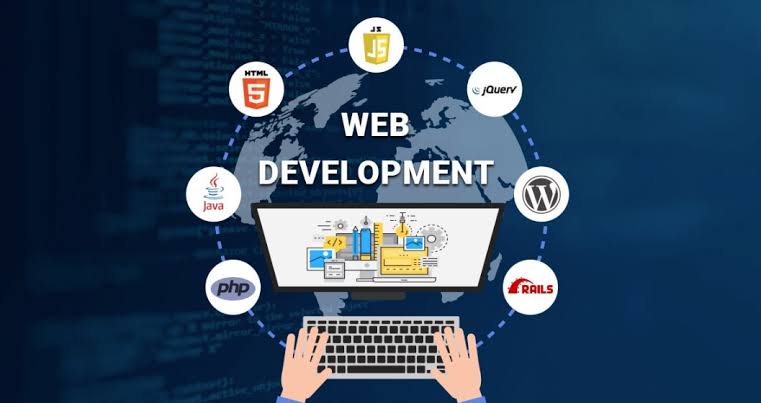
Web development is the process of building and maintaining websites and web applications. It breaks down into two main areas: front-end development, which covers everything a user sees and interacts with in their browser, and back-end development, which covers the servers, databases, and logic running behind the scenes. A developer who works on both sides is called a full-stack developer. Most beginners start with front-end development because it produces visible results quickly, you write some code, refresh your browser, and see what changed.
Why It Matters
Web development skills are among the most versatile in the technology industry. Whether you want a career as a developer, want to build your own product or business, or simply want to understand how the digital world is constructed, learning web basics pays dividends. It also complements almost every other IT discipline, cybersecurity professionals need to understand web vulnerabilities, data professionals need to build dashboards, and IT managers benefit from knowing what their development teams are working with.
Key Concepts You Need to Know
HTML, The Structure
HTML (HyperText Markup Language) is the skeleton of every webpage. It defines what content exists on a page and how it is organised, headings, paragraphs, images, links, buttons, and forms. HTML tells the browser what elements are present but not what they look like. Think of it as the blueprint of a building before any decoration has been added.
CSS, The Style
CSS (Cascading Style Sheets) is what makes a webpage look good. It controls colours, fonts, spacing, layout, and visual design. The same HTML page can look completely different depending on the CSS applied to it. CSS is also how developers adapt a layout for different screen sizes, a technique called responsive design.
JavaScript, The Behaviour
JavaScript is the programming language of the web. It makes pages interactive, responding to button clicks, validating forms, loading new content without refreshing the page, and much more. While HTML and CSS are markup and styling languages, JavaScript is a full programming language, which makes it both more powerful and more complex to learn.
Responsive Design
Responsive design means building websites that look and work well on all screen sizes, desktops, tablets, and smartphones. Rather than building separate versions of a site for each device, responsive design uses flexible layouts and CSS rules that automatically adjust depending on the screen. In a world where more than half of web traffic comes from mobile devices, responsive design is no longer optional.
Beginner Projects and Learning by Doing
The fastest way to learn web development is to build things, even small, imperfect things. A personal profile page, a simple to-do list, or a basic blog layout will teach you more than hours of passive reading. Making mistakes, fixing them, and Googling error messages is genuinely how professional developers work every day.
Common Mistakes or Misconceptions
- “I need to learn everything before I build anything.” Waiting until you feel ready is one of the most common ways beginners stall. Build something simple on day one, even if it breaks.
- “HTML is a programming language.” HTML is a markup language, it structures content but doesn’t have logic or conditionals. JavaScript is the programming language of the web.
- “I need expensive software or a powerful computer to start.” All you need is a free text editor (like VS Code) and a browser. Everything else can be added gradually as you grow.
Practical Next Steps
Start building your web development foundation this week:
- Download VS Code (free at code.visualstudio.com) and create your first HTML file, write a simple page with a heading, a paragraph, and an image.
- Work through the free HTML and CSS courses on freeCodeCamp.org or The Odin Project, both are structured, project-based, and completely free.
- Inspect any webpage you admire by right-clicking and selecting “Inspect” in your browser, explore the HTML and CSS that makes it work.
Key Takeaways
- Web development involves building websites and web apps using HTML (structure), CSS (style), and JavaScript (behaviour).
- Front-end development is the most accessible starting point for beginners because results are immediate and visual.
- Responsive design ensures websites work well on all screen sizes, a modern essential, not an optional extra.
- Learning by building real projects, however small, is the fastest and most effective path forward.
Related Reading
- Previous week: Cybersecurity 101: How to Stay Safe Online
- Coming up in Week 8: Database Basics: How Information Is Stored and Managed
Call to Action: Subscribe for next week’s post on databases, tables, queries, SQL, and how the information behind your favourite apps is organised and retrieved.