





A hands-on starter guide to HTML and CSS, learn what they are, how they work together, the most important elements and properties, and how to build your first webpage today.
Introduction
Every webpage you have ever visited, from the simplest blog post to the most complex web application, is built on two foundational languages: HTML and CSS. HTML provides the structure and content; CSS controls the visual appearance. Together, they are the entry point for anyone learning web development, and the good news is that both are genuinely beginner-friendly. Unlike programming languages with complex logic and abstract concepts, HTML and CSS are descriptive, you write them to describe what should appear on a page and how it should look, and the browser does the rest. This post gives you a clear, practical introduction to both languages, covers the most important elements and properties you need to know, and gives you everything you need to build your first real webpage by the time you finish reading.
What Are HTML and CSS? (Simple Explanation)
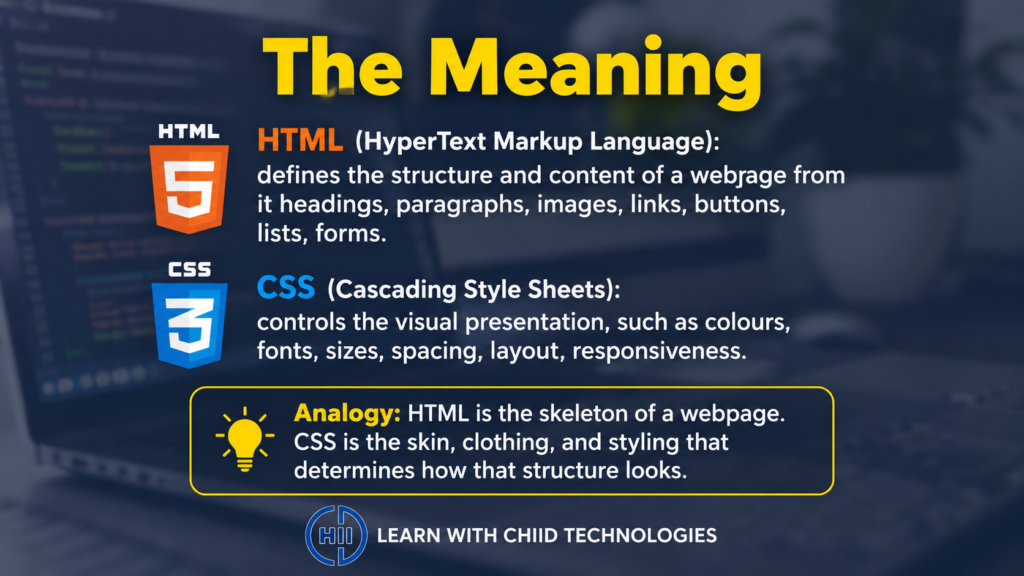
HTML (HyperText Markup Language) is the language used to define the structure and content of a webpage. It tells the browser what elements exist on the page, headings, paragraphs, images, links, buttons, lists, and forms, and how they are organised relative to each other. CSS (Cascading Style Sheets) is the language used to control the visual presentation of those elements, colours, fonts, sizes, spacing, layout, and how the page responds to different screen sizes. A useful analogy: HTML is the skeleton of a webpage, the underlying structure that holds everything together, and CSS is the skin, clothing, and styling that determines how that structure looks to the world.
Why It Matters
HTML and CSS are not just beginner topics to pass through on the way to more complex technologies, they are skills that every web professional uses daily, and understanding them deeply makes everything else in web development significantly easier. They are also the most immediately rewarding technologies to learn: write a few lines of HTML, open the file in a browser, and you can see exactly what you have created. That tight feedback loop makes learning faster and more motivating than almost any other technical discipline.
Key Concepts You Need to Know
HTML Structure and Elements
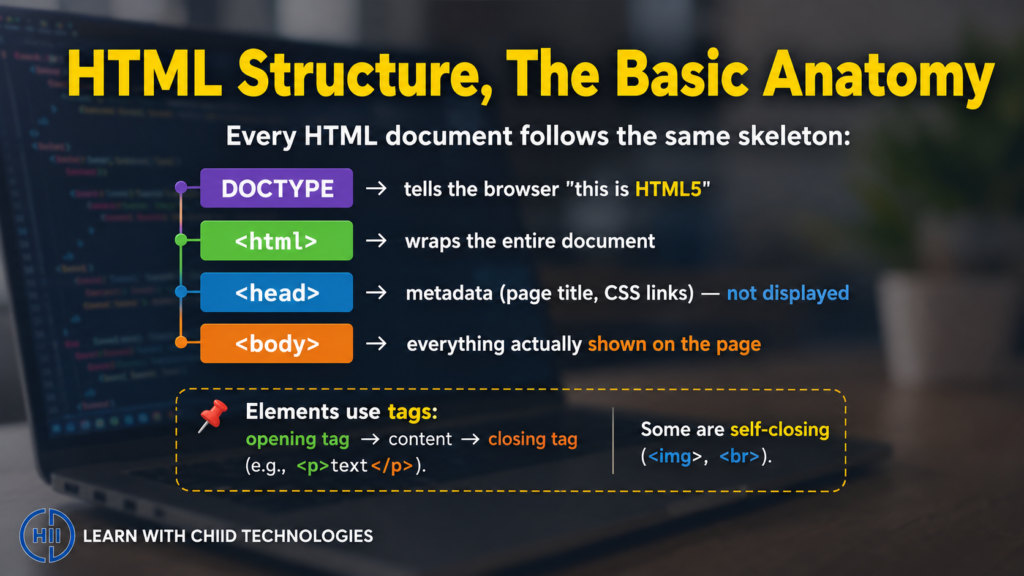
An HTML document follows a standard structure. At the top is the DOCTYPE declaration, which tells the browser this is an HTML5 document. The html element wraps the entire document. Inside it, the head element contains metadata, information about the page that is not displayed directly, such as the page title and links to CSS files. The body element contains everything that is actually displayed on the page. Every visible element on a webpage sits inside the body.
HTML elements are written using tags, opening tags that mark the start of an element and closing tags that mark its end. A paragraph, for example, is written as an opening p tag, followed by the text content, followed by a closing p tag. Some elements are self-closing, the img tag for images and the br tag for line breaks, for instance, do not require a separate closing tag.
The Most Important HTML Elements
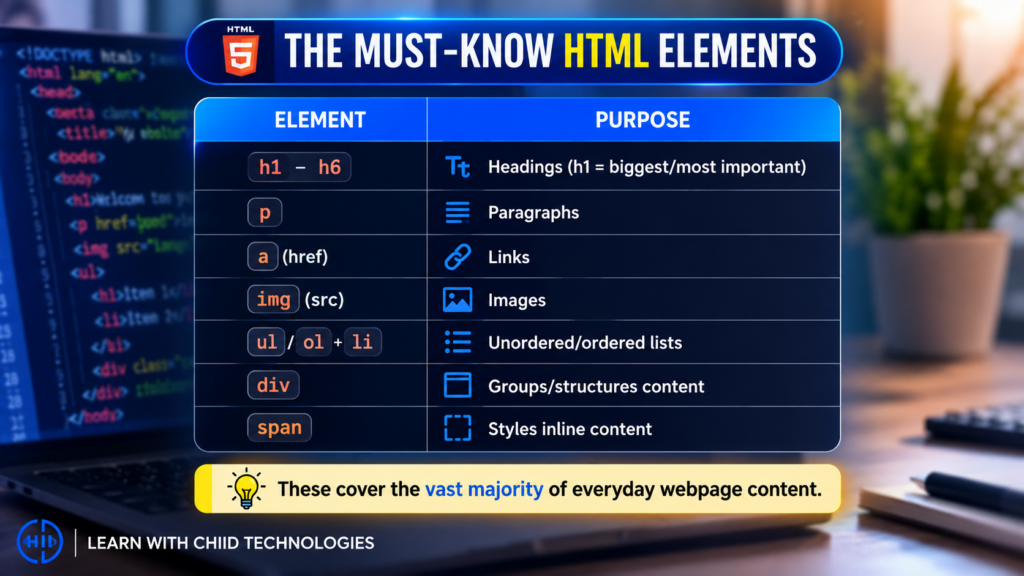
The elements you will use in virtually every webpage include headings (h1 through h6, where h1 is the most important and largest), paragraphs (p), links (a, using the href attribute to specify the destination URL), images (img, using the src attribute to specify the image file), unordered lists (ul) and ordered lists (ol) containing list items (li), divisions (div, used to group and structure content), and span (used to apply styling to inline content). The input, button, and form elements are essential for any interactive content.
HTML Attributes
Attributes provide additional information about HTML elements, they appear inside the opening tag and follow a name equals value format. The href attribute on a link specifies its destination. The src attribute on an image specifies the image file. The class and id attributes are particularly important because they allow CSS to target specific elements for styling. A class can be applied to multiple elements; an id should be unique within the page.
CSS Syntax and Selectors
A CSS rule consists of a selector, which identifies which HTML elements the rule applies to, and a declaration block containing one or more property and value pairs. A selector targeting all paragraph elements would be written simply as p, followed by curly braces containing declarations like color with a value of navy, or font-size with a value of 16px. CSS can be applied in three ways: inline (directly on an element using the style attribute), internal (inside a style block in the HTML head), or external (in a separate .css file linked to the HTML document). External CSS files are the professional standard, they keep styling separate from content, making both easier to manage.
The Box Model
Every HTML element in CSS is treated as a rectangular box. The box model describes the layers of that box: the content area itself, surrounded by padding (space inside the box between the content and its border), then a border (a visible or invisible line around the element), and finally margin (space outside the border, separating the element from its neighbours). Understanding the box model is essential for controlling spacing and layout, most layout problems beginners encounter can be traced back to a misunderstanding of how padding, borders, and margins interact.
CSS Layout, Flexbox
For many years, creating layouts in CSS required complex workarounds. Flexbox (Flexible Box Layout) is a modern CSS layout system that makes arranging elements in rows or columns straightforward and intuitive. By applying display flex to a container element, its children become flexible items that can be aligned, spaced, and distributed using simple properties like justify-content (alignment along the main axis) and align-items (alignment along the cross axis). Flexbox is the most practical layout tool for beginners and handles the majority of common layout patterns, navigation bars, card grids, centred content, with ease.
Common Mistakes or Misconceptions
- “HTML and CSS are not real programming.” HTML and CSS are not programming languages in the traditional sense, they do not have logic, conditions, or loops. But they are genuinely technical skills that take time to master, and professional front-end developers spend significant time working with both. Dismissing them as trivial is both inaccurate and counterproductive for learners.
- “I need to memorise all HTML tags and CSS properties.” There are hundreds of HTML elements and CSS properties. Professional developers look them up constantly, on MDN Web Docs (developer.mozilla.org), which is the definitive reference for web technologies. The goal is to understand the concepts and know where to find specifics, not to memorise everything.
- “My page looks different in different browsers.” Different browsers render HTML and CSS with slight variations, and older browsers may not support newer features. Checking your page in multiple browsers, and using tools like caniuse.com to verify browser support for specific CSS features, is a standard part of web development practice.
Practical Next Steps
Build your first webpage with these steps today:
- Create a new file on your computer called index.html, open it in a text editor (VS Code is free and excellent), and write a basic HTML structure, a DOCTYPE declaration, html tags, a head with a title, and a body containing a heading, a paragraph, and an image. Save the file and open it in your browser.
- Create a second file called styles.css in the same folder, link it to your HTML using a link tag in the head, and write three CSS rules, change the background colour of the page, the font of all paragraph text, and the size of your heading. Save and refresh your browser to see the changes.
- Work through the free Responsive Web Design curriculum on freeCodeCamp.org, it teaches HTML and CSS through project-based learning, culminating in five certification projects you can add to a portfolio.
Key Takeaways
- HTML defines the structure and content of a webpage using elements and tags; CSS controls its visual appearance using selectors, properties, and values.
- The most important HTML elements, headings, paragraphs, links, images, lists, and divs, cover the vast majority of everyday web content needs.
- The CSS box model (content, padding, border, margin) is the foundation of all spacing and layout work; Flexbox is the most practical modern layout system for beginners.
- Professional developers look up HTML and CSS references constantly, MDN Web Docs is the definitive resource and should be bookmarked by every web learner.
Related Reading
- Previous post: Programming Logic for Beginners
- Coming up next: JavaScript Basics Every Beginner Should Learn
Call to Action: Subscribe for next week’s final May post, an introduction to JavaScript, the programming language of the web, and the concepts every beginner needs to understand to start making webpages interactive.