


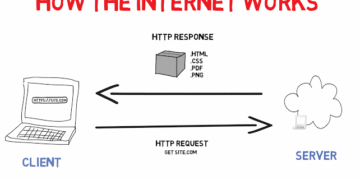





Learn how computer networks work, routers, switches, LAN, WAN, bandwidth, and network security basics explained clearly for growing tech learners.
Introduction
Every time you send a file, join a video call, or stream a show, a network is working behind the scenes to make it happen. Networking is one of the most fundamental skills in IT, and one of the most misunderstood. This post breaks down how devices connect and communicate, what the key hardware and terminology mean, and how networks are kept secure. By the end, you’ll be able to hold your own in any conversation about computer networking, and understand your own home or office network far better.
What Is a Computer Network? (Simple Explanation)
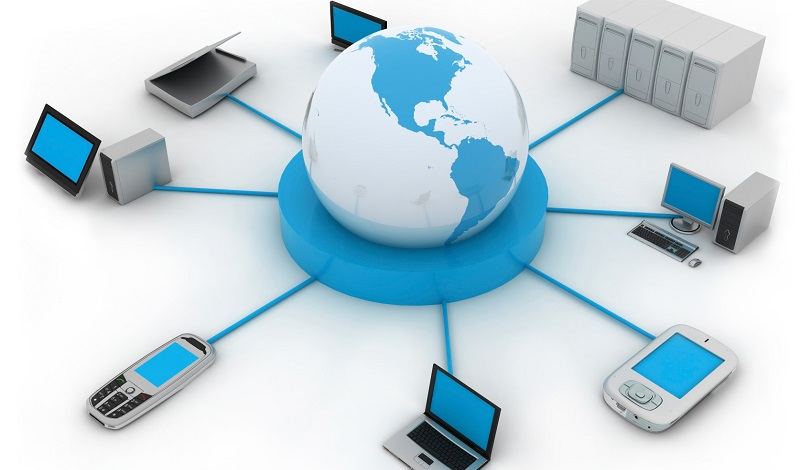
A computer network is a group of two or more devices, computers, phones, printers, servers, connected together so they can share data and resources. Networks can be as small as two laptops linked in a room, or as large as millions of devices spanning the entire globe. The internet itself is simply the world’s largest network. At its core, networking is about getting the right information to the right place reliably and efficiently.
Why It Matters
Without networking, there would be no internet, no email, no cloud storage, and no remote work. Nearly every IT role, from support technician to software developer to cybersecurity analyst, requires at least a basic understanding of how networks function. For businesses, a well-designed network means smooth operations, secure data, and the ability to scale. For individuals, understanding networking means being able to troubleshoot connection issues and make informed decisions about your own setup.
Key Concepts You Need to Know
LAN vs. WAN
A Local Area Network (LAN) connects devices within a small area, like your home, office, or school building. A Wide Area Network (WAN) connects devices across large geographic areas, potentially spanning cities or countries. The internet is the largest WAN in existence. Most people interact daily with both, your home Wi-Fi is a LAN; the connection to your ISP that takes you online is a WAN.
Routers and Switches
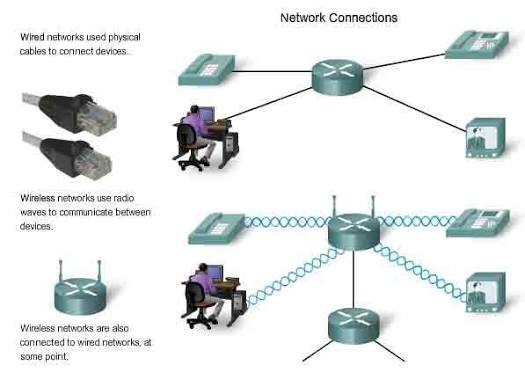
A router directs traffic between your local network and the internet, acting like a post office that sorts and forwards data packets to the right destination. A switch connects multiple devices within the same local network, allowing them to communicate directly with each other. In a home setup, your router usually handles both roles in one device.
IP Addresses and MAC Addresses
Every device on a network has two key identifiers. An IP address (covered in Week 3) is assigned dynamically and used for routing data across networks. A MAC address is a permanent, hardware-level identifier unique to each network interface card, useful for identifying specific devices within a local network.
Bandwidth and Latency
Bandwidth is the maximum amount of data that can travel through a network connection at once, think of it as the width of a pipe. Latency is the time it takes for data to travel from one point to another, the delay. High bandwidth with low latency gives you a fast, responsive connection. Gamers and video call users feel latency most acutely when it’s high.
Network Security Basics
Securing a network involves controlling who can access it and what they can do. Basic practices include using strong Wi-Fi passwords, enabling a firewall, keeping router firmware updated, and separating guest devices from your main network using a guest network feature.
Common Mistakes or Misconceptions
- “Wi-Fi and the internet are the same thing.” Wi-Fi is the wireless technology that connects your device to a local router. The internet is the global network your router then connects to. You can have Wi-Fi without internet access.
- “A faster router always means a faster internet connection.” Your router can only work as fast as the internet plan your ISP provides. Upgrading your router won’t help if your ISP plan is the bottleneck.
- “A network is only relevant for IT professionals.” Anyone who uses a smartphone, laptop, or smart TV is using a network every day. Understanding the basics helps everyone troubleshoot problems and stay safer online.
Practical Next Steps
Explore networking hands-on with these steps:
- Log into your home router (usually via 192.168.1.1 or 192.168.0.1 in your browser) and review what devices are connected, what your network is named, and whether your firmware is up to date.
- Run a free speed test at speedtest.net and note your download speed, upload speed, and ping (latency), then look up what those numbers mean for your usage.
- If you’re serious about learning networking, explore the free Cisco Networking Basics course on Cisco Skills for All, it’s beginner-friendly and industry-recognised.
Key Takeaways
- A network connects devices so they can share data and resources, from a home Wi-Fi setup to the global internet.
- LANs cover small areas; WANs span large distances; routers and switches manage the traffic.
- Bandwidth measures capacity; latency measures speed of response, both matter for a good connection.
- Basic network security, strong passwords, firewalls, updated firmware, protects everyone on the network.
Related Reading
- Previous week: Essential Digital Skills for Students and First-Time Tech Users
- Coming up in Week 6: Cybersecurity 101: How to Stay Safe Online
Call to Action: Subscribe for next week’s post on cybersecurity, phishing, malware, two-factor authentication, and how to protect yourself and your data online.