





Google’s new Googlebook laptop is built for Gemini Intelligence with Magic Pointer, custom widgets, and seamless Android phone integration. Here’s everything you need to know.
Introduction
What if your laptop could think alongside you and not just respond to commands, but actually anticipate what you need next?
That’s the promise behind Googlebook, Google’s newly announced category of laptops announced on May 12, 2026. More than just a hardware refresh, the Googlebook represents a fundamental rethink of what a personal computer should be in the age of AI. For tech professionals, business decision-makers, and anyone who’s ever felt like their laptop was a step behind them, this announcement is worth paying close attention to.
From Cloud-First to Intelligence-First: The Googlebook Origin Story
Fifteen years ago, Google introduced the Chromebook, a laptop designed for a cloud-connected world where the browser was the operating system. That bet paid off enormously, especially in education and enterprise.
Now, Google is making another bold wager. As the company puts it, we’re shifting “from an operating system to an intelligence system.” The Googlebook is what happens when you build a laptop with that shift as the foundation, not an afterthought.
The device merges the best elements of two Google platforms:
- Android, bringing powerful apps via Google Play and an OS designed for AI-first experiences
- ChromeOS, which contributes the world’s most-used browser and a mature web ecosystem
The result is a device where Gemini; Google’s most capable AI, isn’t a feature you open in a tab. It’s woven into the very fabric of how the laptop operates.
Magic Pointer: The Cursor, Reinvented
Here’s something most of us take for granted: the cursor. That blinking arrow has barely evolved since right-click was introduced. Google thinks that’s a missed opportunity.
Enter Magic Pointer, developed in collaboration with Google DeepMind. Wiggle your cursor on a Googlebook and it activates Gemini; surfacing quick, contextual suggestions based on whatever is on your screen at that moment.
The practical use cases are compelling:
- Point at a date in an email and instantly get options to schedule a meeting
- Select two images — let say, your living room and a piece of furniture, and visualize them together in seconds
- Complete multi-step tasks in a handful of clicks rather than switching between multiple apps and windows
This is proactive AI assistance at the interface level. It doesn’t wait for you to open Gemini and type a prompt. It meets you where you already are.
Create Your Widget: Your Desktop as a Personal Dashboard
The second standout software feature is Create Your Widget, which lets you build custom, AI-generated dashboard widgets directly on your desktop, using plain language prompts.
Here’s a real-world example Google shared: planning a family reunion in Berlin. Rather than bouncing between Gmail, Google Calendar, Maps, and a browser tab for hotels, you prompt Gemini to pull it all together. The result is a single widget on your desktop showing flights, hotel info, restaurant reservations, and even a countdown timer.
This is the kind of ambient intelligence that makes a device feel genuinely personal. Your desktop stops being a grid of icons and becomes a living, dynamic workspace shaped around your actual life.
Seamless Android Integration: Finally, Phones and Laptops That Actually Talk
One of the most practical advantages of Googlebook is how it handles the relationship between your laptop and your Android phone.
Most of us already live across multiple devices. The friction comes in the handoffs, files that don’t sync, apps stuck on one platform, notifications that interrupt rather than integrate.
Googlebook addresses this directly with two key features:
Phone App Access on Laptop: Running a Duolingo lesson on your phone? Get a food delivery order in? You can interact with those phone apps directly from your laptop screen without switching devices or losing your workflow momentum.
Quick Access File Browser: View, search, and insert files from your Android phone directly in the Googlebook’s file browser; no transfers, no cables, no cloud sync delays required.
For professionals who switch between devices constantly, this level of integration isn’t just convenient. It’s a genuine productivity shift.
Premium Hardware From Familiar Names
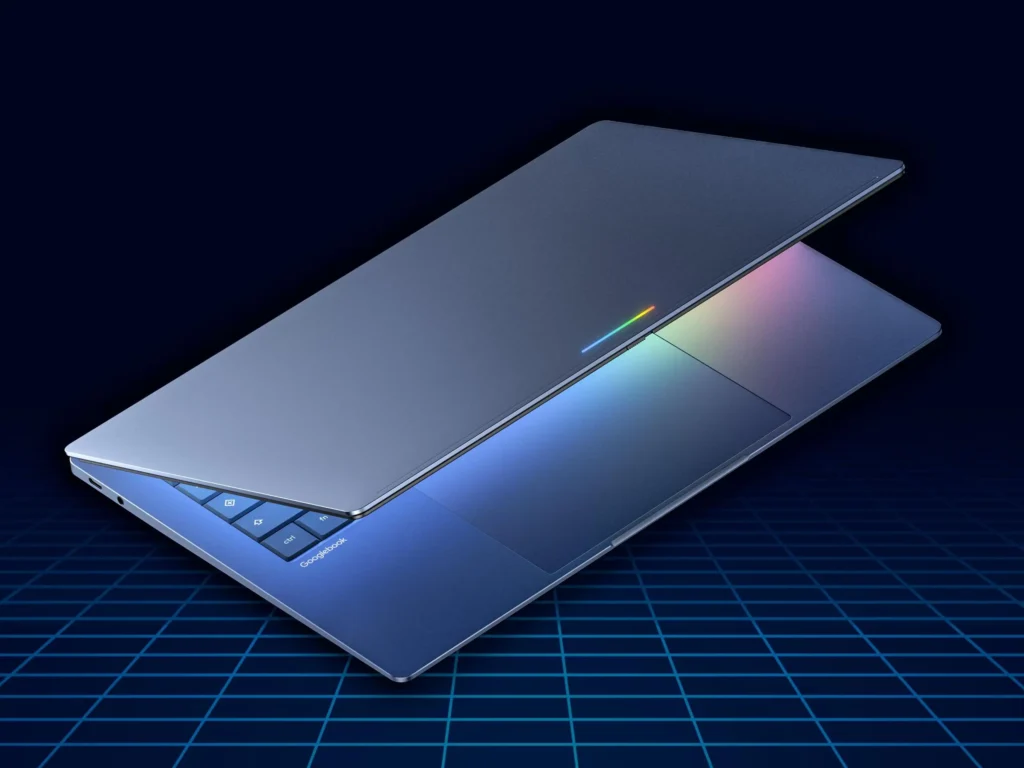
Google isn’t building these devices alone. The first Googlebooks are being manufactured in partnership with Acer, ASUS, Dell, HP, and Lenovo, five of the most recognizable names in the PC industry.
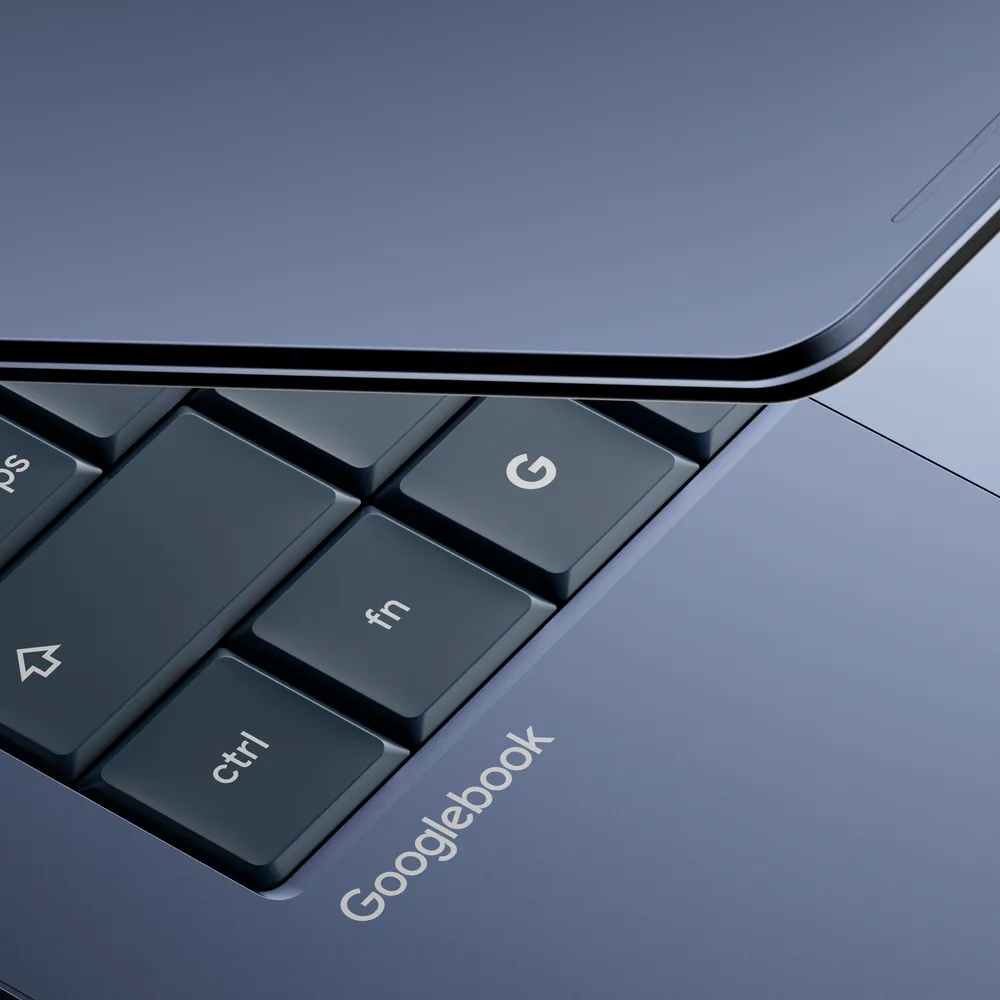
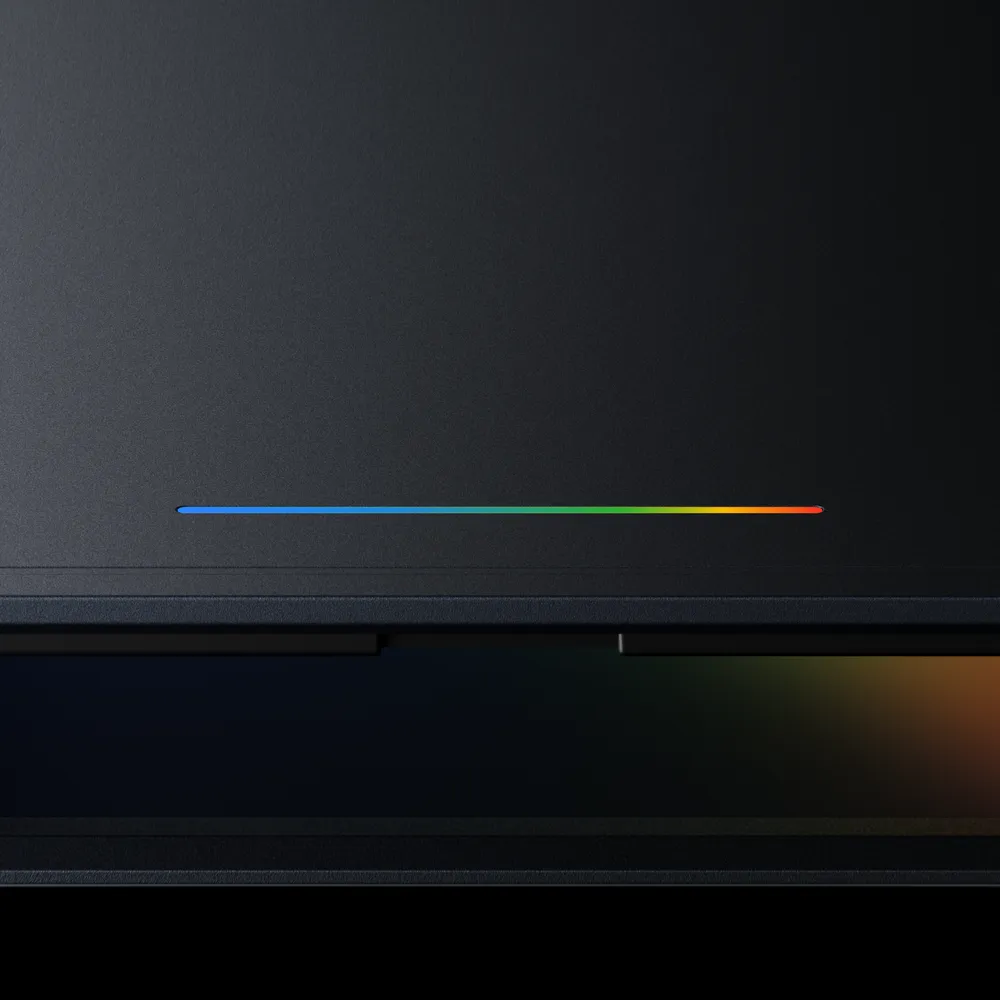
Every Googlebook will feature premium materials and craftsmanship, available in a range of shapes and sizes. The signature design element is the glowbar which is a distinctive hardware feature that Google describes as “functional and beautiful,” serving as the visual identifier that unifies the Googlebook lineup across manufacturers.
Devices are expected to launch this fall, with more details available at googlebook.com.
Why This Matters Beyond the Hardware Specs
The Googlebook isn’t just a new laptop, it’s a signal about the direction of personal computing.
The traditional PC paradigm is task-centric: you open an app, perform an action, close the app. AI-native computing is context-centric: the device understands what you’re doing, what you might need next, and brings the relevant capability to you.
Google is betting that Gemini-powered contextual intelligence will surfaced through features like Magic Pointer and Create Your Widget, which is compelling enough to carve out an entirely new device category. Given how deeply Android is embedded in users’ daily lives, the cross-device integration story could be a particularly strong differentiator.
For businesses evaluating their next hardware refresh cycle, Googlebook warrants serious consideration. For developers and IT decision-makers, the Android-based tech stack promises faster feature updates and a more unified ecosystem.
Key Takeaways
- Googlebook is a new laptop category built for Gemini Intelligence and not a Chromebook rebrand
- Magic Pointer (built with Google DeepMind) turns the cursor into a proactive AI assistant
- Create Your Widget lets users build personalized desktop dashboards through natural language prompts
- Android integration enables real phone-to-laptop app access and file browsing without transfers
- Premium hardware from Acer, ASUS, Dell, HP, and Lenovo with a distinctive glowbar design
- Launching this fall — visit googlebook.com for updates
The Chromebook changed laptops for a cloud-first world. The Googlebook is making the same bet on an AI-first one. Whether it lands will depend on execution, but the vision is clear, and the timing is unmistakably intentional.
Want to stay ahead of the biggest shifts in AI and tech? Follow our blog for expert breakdowns delivered as soon as it matters.