





Android 17 is arriving June 2026 with 8 game-changing features: native app lock, floating bubbles, task continuity & more. Here’s everything Android users need to know.
Introduction
Android upgrades usually get a lot of hype, but most of them disappear into settings menus nobody opens. Android 17 is different. This release targets the real frustrations people have carried for years: privacy gaps, clunky multitasking, and a home screen that belongs to the OS, not you.
Google is reportedly rolling out Android 17’s stable build beginning June 2026, starting with Pixel devices. Samsung, OnePlus, Xiaomi, and other OEMs are expected to follow later in the year. Here’s a clear-eyed breakdown of the eight features worth knowing, and why they actually matter.
The 8 Features That Matter
1. Native App Lock
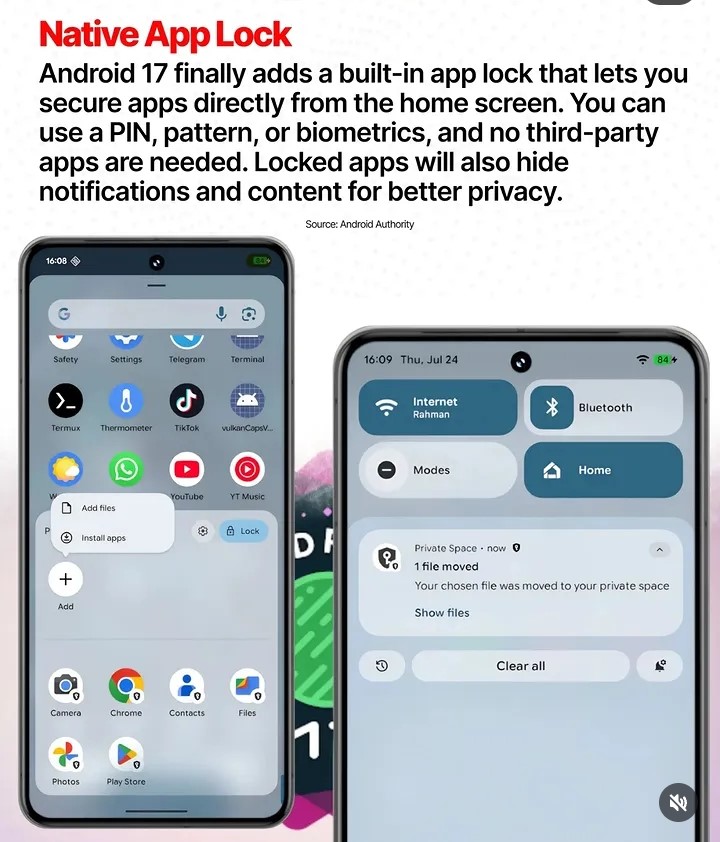
For years, Android users wanting to lock individual apps had to rely on third-party solutions and many of which required suspicious permissions of their own. Android 17 finally fixes this natively. The built-in App Lock lets you secure any app from the home screen using a PIN, pattern, or biometrics. Locked apps automatically hide notifications and content previews, so sensitive information doesn’t bleed into your lock screen.
2. Floating App Bubbles
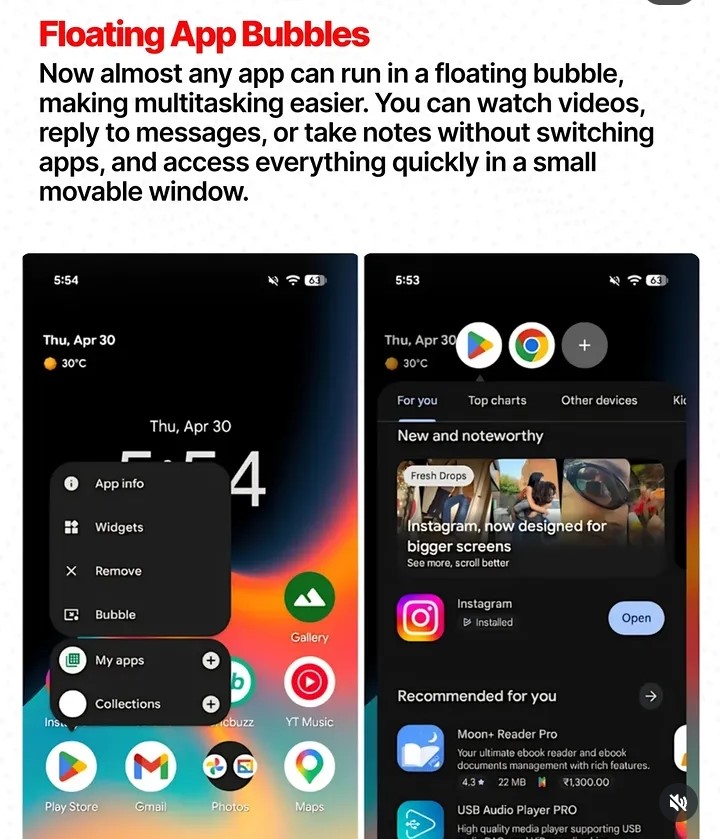
Multitasking on Android has always been technically possible but practically awkward. Android 17 expands Floating App Bubbles to nearly any app. Watch a video, reply to a message, or jot a note in a small movable window, without leaving your current app. It’s the fluid multitasking power users have been requesting for years, now made mainstream.
3. Better Screen Recording
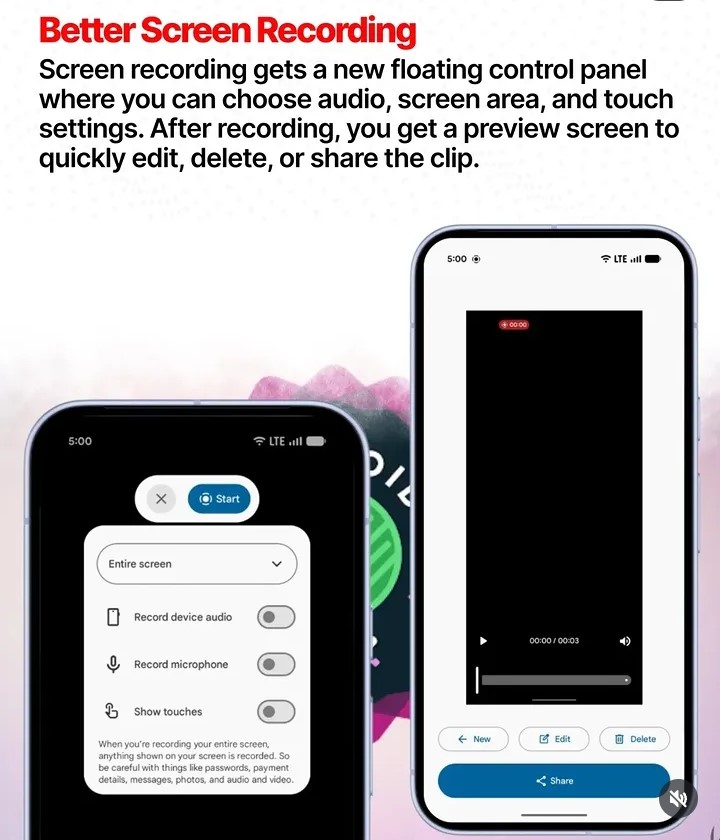
Android 17 upgrades screen recording with a floating control panel where you can select your audio source, screen area, and touch display preferences. After recording, an instant preview screen lets you edit, delete, or share the clip, all without leaving the recording flow. A major quality-of-life win for content creators and educators.
4. Improved Large-Screen Support
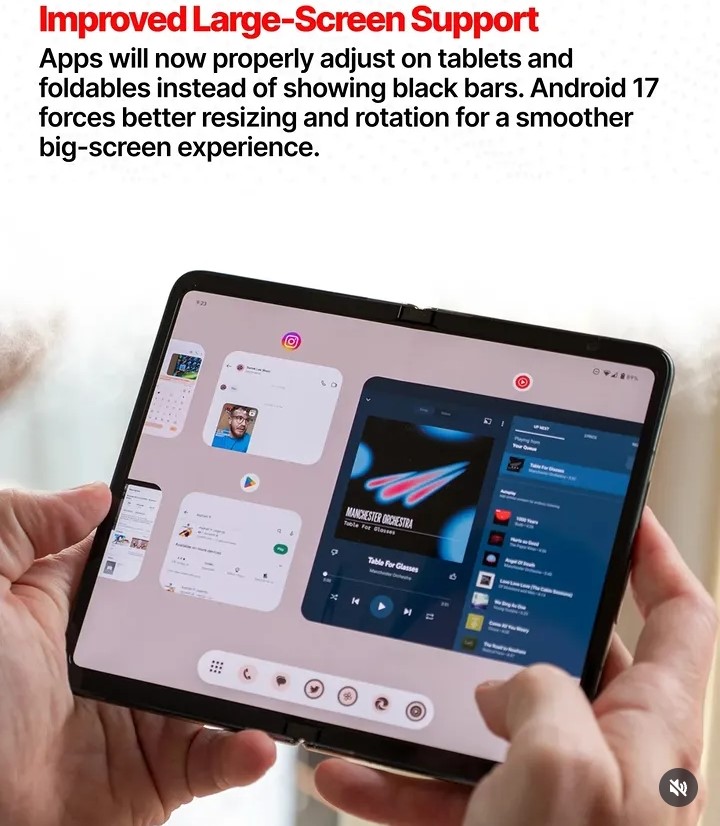
Foldables and tablets are no longer niche. Yet apps still stretch or letterbox on bigger screens, producing infamous black bars. Android 17 forces apps to properly resize and rotate for large-format displays, eliminating black bars and delivering a genuinely polished foldable and tablet experience.
5. Hide App Names
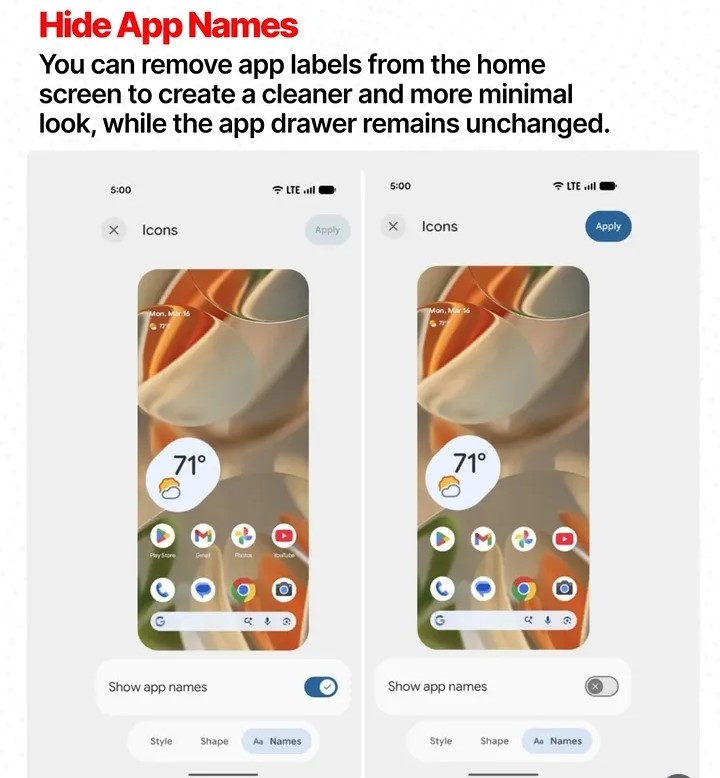
Android 17 lets you remove app name labels from the home screen for a cleaner, icon-only layout. The app drawer continues showing names as normal, so discoverability isn’t sacrificed. Minimalist users will love it, and frankly, it makes every home screen look more intentional.
6. Wi-Fi & Data Toggles
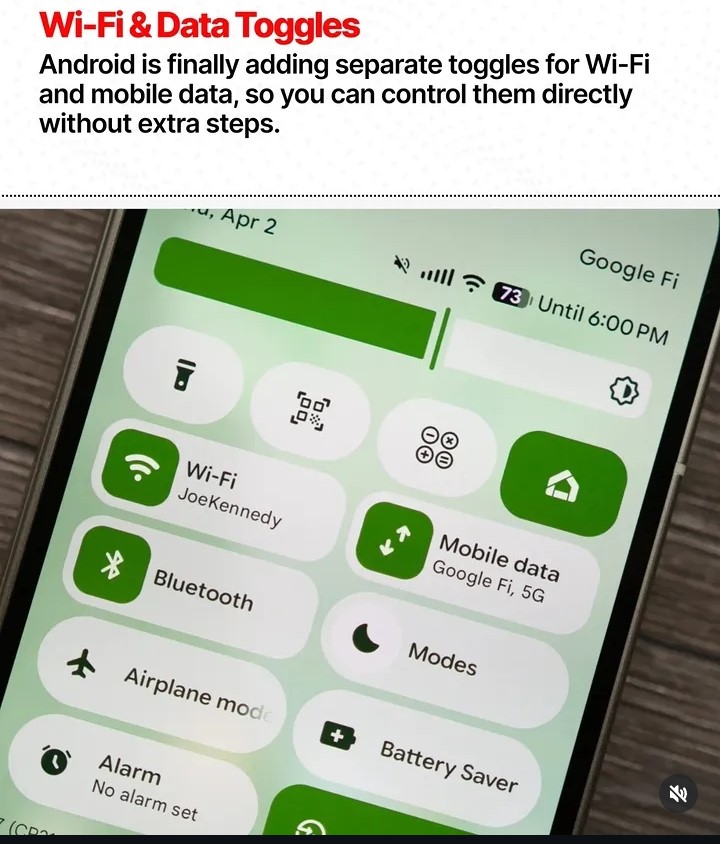
Android 17 adds separate, dedicated Quick Settings tiles for Wi-Fi and mobile data; meaning you control either one directly with a single tap, no long-press required. A feature that should have existed years ago, finally landing in the OS.
7. Limited Contact Sharing
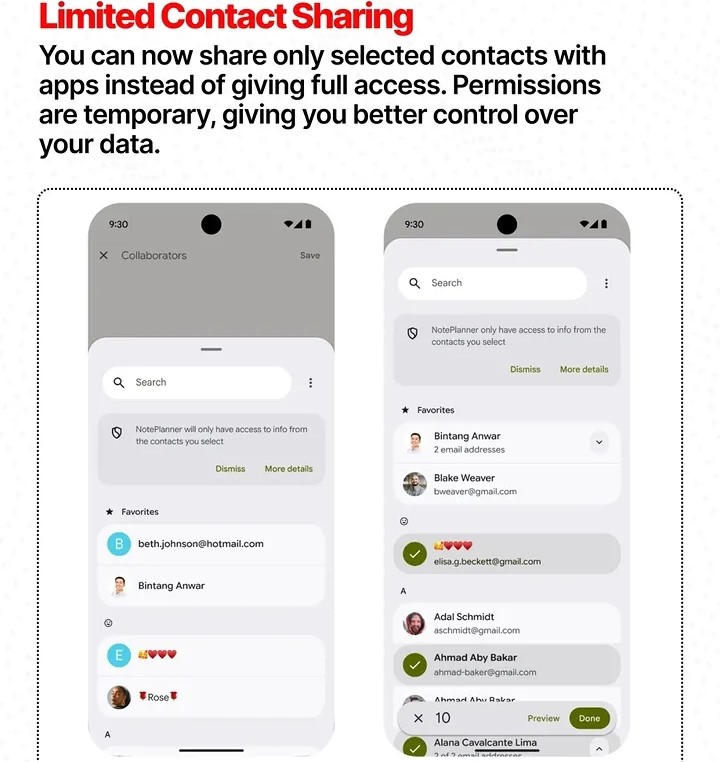
Privacy-conscious users have always faced a binary: grant an app full contacts access, or nothing. Android 17 introduces a middle ground. Limited Contact Sharing lets you grant any app access to only specific contacts you choose, with permissions that are temporary. Far more granular control over your personal data.
8. Task Continuity
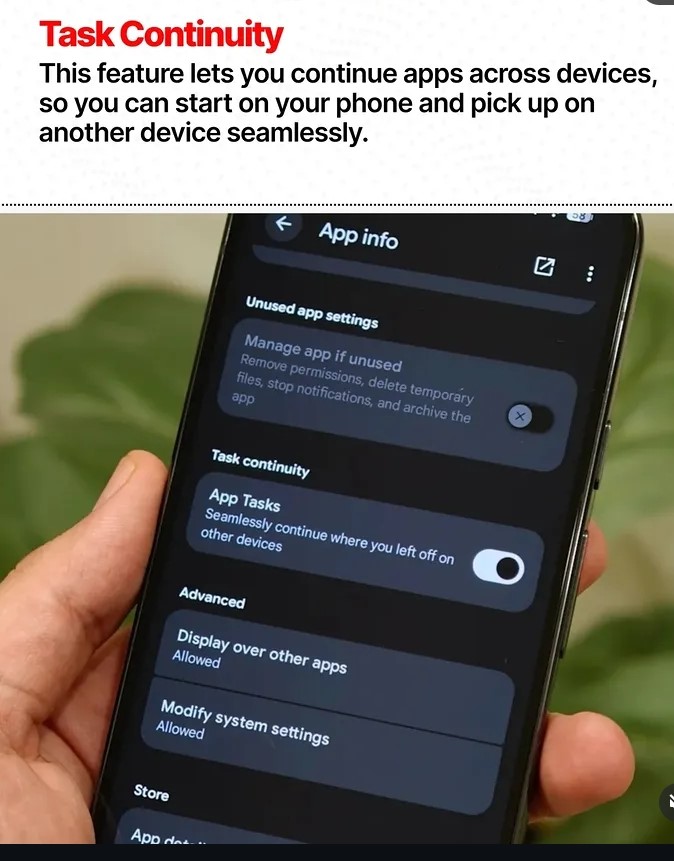
Start something on your phone while reading an article, filling a form, browsing a product, and seamlessly pick it up on another Android device right where you left off. Controllable per-app through the App Info menu, it’s Android’s answer to Apple’s Handoff. From early reports, it’s competitive.
When Is Android 17 Coming?
The stable release is expected around June 2026, with Pixel devices receiving it first. Samsung, OnePlus, Xiaomi, and other OEMs are projected to begin rollouts within two to four months of the Pixel release.
Final Thoughts
Android 17 isn’t about flashy AI gimmicks or surface-level redesigns. It’s a maturity update, one that patches the practical gaps that have frustrated everyday users for years. From locking apps without third-party help to controlling your contacts with precision, each of these features reflects real user feedback turned into real solutions.
If you’re on a Pixel, mark June 2026 on your calendar. Everyone else, stay tune for it’s coming.