


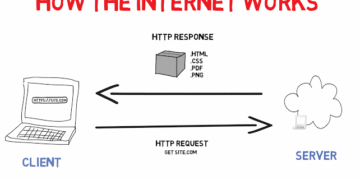





A practical guide to cybersecurity, learn how phishing, malware, and data breaches work, and what you can do right now to protect yourself online.
Introduction
Cyber threats are no longer something that only large corporations need to worry about. Every person with an email address, a bank account, or a social media profile is a potential target. The good news is that the vast majority of successful cyberattacks exploit simple, avoidable mistakes, and understanding how they work is the first step to protecting yourself. This post covers the most common threats, the tools and habits that defend against them, and what to do if something goes wrong. By the end, you’ll have a clear and practical cybersecurity foundation.
What Is Cybersecurity? (Simple Explanation)
Cybersecurity is the practice of protecting computers, networks, accounts, and data from unauthorised access, damage, or attack. Just as you lock your front door to keep strangers out of your home, cybersecurity is about putting locks, digital ones, on your devices and information. It covers everything from the software on your phone to the policies a company uses to protect its customer data.
Why It Matters
Cybercrime is one of the fastest-growing threats in the world. Data breaches expose millions of people’s personal information every year. Ransomware has shut down hospitals. Phishing scams drain bank accounts in minutes. And the overwhelming majority of victims never saw it coming, not because they were careless, but because they didn’t know what to look for. Cybersecurity awareness is now a life skill, not just a technical one.
Key Concepts You Need to Know
Phishing
Phishing is a social engineering attack where a criminal pretends to be a trusted person or organisation, your bank, a delivery company, or even a colleague, to trick you into handing over sensitive information like passwords or card numbers. Phishing arrives most commonly via email, but also through SMS (smishing) and phone calls (vishing). The telltale signs include urgency, unexpected requests, and sender addresses that don’t quite match the real organisation.
Malware
Malware (malicious software) is any program designed to damage, disrupt, or gain unauthorised access to a device. It includes viruses (which spread between files), ransomware (which locks your files until you pay), spyware (which silently monitors your activity), and trojans (which disguise themselves as legitimate software). Malware typically enters through email attachments, dodgy downloads, or unpatched software vulnerabilities.
Strong Passwords and Password Managers
We covered passwords in Week 4, but in a cybersecurity context they carry even more weight. Weak or reused passwords are the single most common entry point for attackers. A password manager removes the temptation to reuse passwords by generating and storing strong, unique ones for every account automatically.
Two-Factor Authentication (2FA)
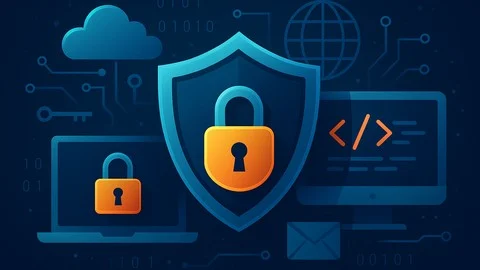
Two-factor authentication adds a second layer of verification beyond your password, usually a one-time code sent to your phone or generated by an app like Google Authenticator. Even if an attacker gets your password, they can’t access your account without the second factor. Enable 2FA on every account that offers it, starting with email and banking.
Data Protection and Privacy
Being mindful about what data you share online reduces your attack surface. Use privacy settings on social media, be cautious about apps that ask for unnecessary permissions, and understand that free apps often collect and sell your data as their business model.
Common Mistakes or Misconceptions
- “I have nothing worth stealing, so I’m not a target.” Attackers often aren’t after anything specific from you personally, they’re running automated attacks at scale, looking for any weak account to exploit, sell, or use as a gateway to others.
- “Antivirus software is enough protection.” Antivirus is one layer of defence, not a complete solution. It needs to be combined with strong passwords, 2FA, software updates, and cautious behaviour.
- “I’d always spot a phishing email.” Modern phishing attacks are sophisticated and highly personalised. Security researchers, people who study this professionally, regularly fall for well-crafted phishing attempts during tests. Caution is always warranted.
Practical Next Steps
Strengthen your cybersecurity posture today with these actions:
- Enable two-factor authentication on your most important accounts, start with email, then banking and social media.
- Check if your email address has appeared in a known data breach at haveibeenpwned.com, and change any compromised passwords immediately.
- Install a reputable password manager (Bitwarden is free and open-source) and migrate your most critical passwords to it this week.
Key Takeaways

- Cybersecurity is about protecting your devices, accounts, and data from unauthorized access.
- Phishing and malware are the most common threats, and both rely on catching people off guard.
- Strong, unique passwords combined with two-factor authentication stop the majority of account attacks.
- Most successful attacks exploit simple mistakes that awareness and good habits can prevent.
Related Reading
- Previous week: Networking Basics: How Devices Connect and Communicate
- Coming up in Week 7: Getting Started in Web Development: What to Learn First
Call to Action: Subscribe for next week’s post where we move into web development: HTML, CSS, JavaScript, and how to take your first steps toward building websites.