







Learn the difference between browsers and search engines, how search engines index the web, and which essential online tools every tech-savvy user should know about.
Introduction
Most people use a browser and a search engine dozens of times a day without knowing the difference between them, or understanding how either one actually works. And beyond Google and Chrome, there is an entire ecosystem of free online tools that can make you dramatically more productive, informed, and capable. This post clears up the browser versus search engine confusion once and for all, explains how search engines find and rank web pages, and introduces the most useful online tools every tech-savvy person should have in their toolkit. By the end, you will use the web more deliberately, more efficiently, and with a much clearer understanding of what is happening behind the scenes.
What Are Browsers and Search Engines? (Simple Explanation)
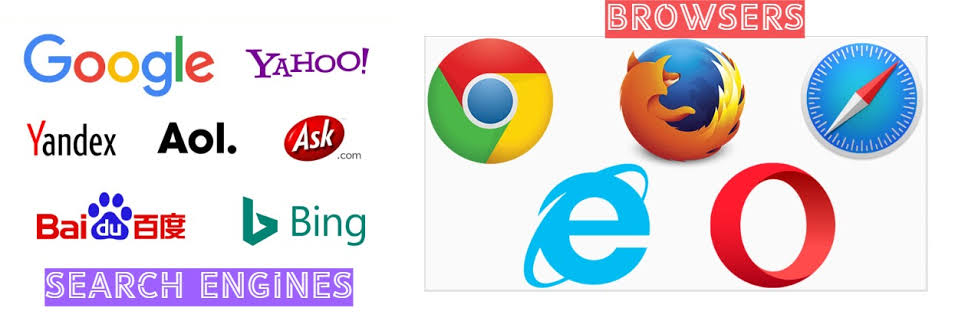
A browser is a software application installed on your device that retrieves, interprets, and displays web pages. Popular browsers include Google Chrome, Mozilla Firefox, Microsoft Edge, Apple Safari, and Brave. A search engine is a website, accessed through your browser, that helps you find other websites by searching an enormous index of web content. Popular search engines include Google, Bing, DuckDuckGo, and Yahoo. The simplest way to remember the difference: the browser is the vehicle you use to travel the web; the search engine is the map that tells you where to go.
Why It Matters
Understanding how browsers and search engines work helps you find information more effectively, protect your privacy online, evaluate the reliability of search results, and choose the right tools for different tasks. It also gives you a clearer picture of the business models behind these free tools, because understanding how they make money helps you make more informed decisions about what data you share and with whom.
Key Concepts You Need to Know
How Browsers Work
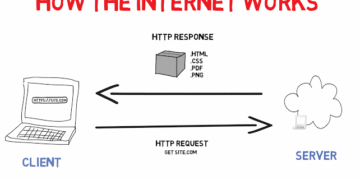
When you type a URL or search term into a browser, it sends a request to the appropriate server, receives the response, and renders the page on your screen, a process covered in detail in last week’s post. Browsers also manage your history, bookmarks, cookies, saved passwords, and extensions. Extensions are small add-on programmes that expand your browser’s capabilities, ad blockers, grammar checkers, and password managers are common examples.
How Search Engines Work
Search engines operate in three stages. First, they crawl the web using automated programmes called spiders or bots, which follow links from page to page and discover new content continuously. Second, they index what they find, storing information about each page in a massive database organised for fast retrieval. Third, when you enter a search query, their algorithm ranks the indexed pages by relevance and quality and returns the most useful results. Search engine optimisation (SEO) is the practice of making web pages more likely to rank highly in those results.
Search Engine Privacy
Most major search engines, particularly Google, collect and store data about your searches, location, and behaviour to build an advertising profile. Alternative search engines like DuckDuckGo and Brave Search are designed with privacy as a priority, returning results without tracking your activity or personalising results based on your history. Neither approach is universally better, the right choice depends on your priorities around privacy versus personalisation.
Browser Privacy and Cookies
Cookies are small files that websites store in your browser to remember information about you, your login status, shopping cart contents, or site preferences. First-party cookies (set by the site you are visiting) are generally harmless and useful. Third-party cookies (set by advertisers and trackers embedded in pages) are used to follow you across multiple websites and build a profile of your interests. Most modern browsers now block third-party cookies by default or give you clear controls to manage them.
Essential Online Tools Every User Should Know

Beyond search engines, a wide range of free online tools can significantly enhance your productivity and capability:
Google Workspace / Microsoft 365, Cloud-based suites for documents, spreadsheets, presentations, and email, accessible from any device without installing software.
Canva, A free graphic design tool that allows anyone to create professional-looking social media graphics, presentations, posters, and documents without design experience.
Notion / Trello, Free productivity and project management tools for organising tasks, notes, and projects, useful for individuals and teams alike.
Grammarly, A writing assistant that checks grammar, clarity, tone, and style in real time, available as a browser extension or standalone tool.
archive.org (the Wayback Machine), A free digital archive of the internet that lets you view older versions of websites, invaluable for research and recovering deleted content.
Wolfram Alpha, A computational knowledge engine that answers factual and mathematical queries directly, rather than returning a list of links.
Common Mistakes or Misconceptions
- “Google is the internet.” Google is a search engine accessed through a browser, one of many ways to find information on the internet. The internet exists entirely independently of Google, and a significant portion of it is not indexed by any search engine at all.
- “The first search result is always the most reliable.” Search ranking reflects relevance and SEO optimisation, not necessarily accuracy or trustworthiness. Sponsored results (ads) appear at the top of Google results and are paid placements, not organic rankings. Always evaluate sources critically.
- “Incognito mode hides my searches from Google.” Incognito mode prevents your browser from saving your local history and cookies, but your searches are still visible to the search engine, your ISP, and your employer or school’s network administrator.
Practical Next Steps
Make the most of your browser and search tools with these immediate actions:
- Audit your browser extensions, open your extensions or add-ons menu and remove anything you do not recognise or no longer use. Unused extensions can slow your browser and, in some cases, pose security risks.
- Try an advanced Google search, use quotation marks to search for an exact phrase (“climate change report 2024”), use a minus sign to exclude a word (jaguar -car), or use site: to search within a specific website (site:bbc.com artificial intelligence). These simple techniques make search dramatically more precise.
- Try DuckDuckGo (duckduckgo.com) for one week as your default search engine and compare the experience, particularly in terms of the ads you see and the results you get.
Key Takeaways

- A browser is the application you use to access the web; a search engine is a website that helps you find content within it, they are not the same thing.
- Search engines crawl, index, and rank web content using complex algorithms; the first result is not always the most reliable.
- Cookies and search engine data collection are important privacy considerations, understanding them helps you make informed choices about the tools you use.
- Free online tools like Google Workspace, Canva, Notion, and Grammarly can dramatically improve your productivity and capability as a digital user.
Related Reading
- Previous post: What Happens When You Visit a Website?
- Coming up next: How to Stay Safe While Browsing
Call to Action: Subscribe for next week’s post, a practical guide to safe browsing habits, the warning signs of dangerous websites, and the simple steps that protect you every time you go online.