






A beginner’s guide to how computers work, hardware, software, operating systems, file management, storage, and basic troubleshooting.
Introduction
Most of us use computers every day without ever learning how they actually work. This post covers the essential building blocks, hardware, software, operating systems, storage, and file management, plus a few troubleshooting habits that will save you time and frustration. By the end, you’ll understand what’s happening behind the screen every time you open an app or save a file.
What Is a Computer? (Simple Explanation)
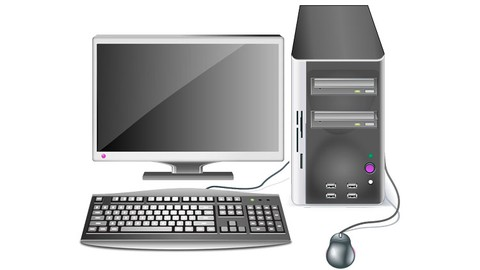
At its core, a computer is a machine that takes input, processes it according to instructions, and produces output. Whether it’s a laptop, smartphone, or desktop, every computer follows this same basic pattern: input (like a keyboard or touch screen) goes in, processing happens inside, and output (like a screen display) comes out. Everything else, apps, files, the internet, is built on top of this simple cycle.
Why It Matters
Understanding how your computer works helps you use it more effectively, troubleshoot problems without panicking, and make smarter decisions when buying or upgrading devices. It also builds the foundation for almost every other IT topic, from networking to cybersecurity to software development. You can’t go far in tech without a solid grasp of computer basics.
Key Concepts You Need to Know
Hardware Components
The physical parts of a computer include the CPU (the “brain” that processes instructions), RAM (short-term memory for active tasks), storage drives (long-term memory for files), and the motherboard (which connects everything together).
Software Categories
Software falls into two main types: system software (like the operating system, which manages the hardware) and application software (the programs you actually use, like a browser or word processor).
Operating Systems
The operating system (OS), such as Windows, macOS, or Linux, is the software that manages all of a computer’s resources and lets other programs run. It handles tasks like memory allocation, file storage, and communication between hardware and software.
File Management
Files are organized into folders (directories) to keep data structured and easy to find. Learning to name files clearly, organize folders logically, and understand file types (like .docx, .pdf, .jpg) makes everyday computer use much smoother.
Storage Types
Storage comes in different forms: hard disk drives (HDDs) are slower but affordable, solid-state drives (SSDs) are faster and more durable, and cloud storage lets you save files online instead of on a physical device.
Common Mistakes or Misconceptions
- “More RAM always means a faster computer.” RAM helps with multitasking, but overall speed also depends on the CPU, storage type, and software efficiency.
- “Deleting a file removes it completely.” Deleted files often sit in a recycle bin or trash folder, and even after that, they can sometimes be recovered until the storage space is overwritten.
- “Restarting a computer is a sign something’s broken.” Restarting regularly is actually a normal and healthy troubleshooting step, it clears temporary memory and resolves many minor glitches.
Practical Next Steps
Build hands-on familiarity with these simple exercises:
- Open your computer’s file explorer and organize one folder using clear names and subfolders.
- Check your system settings to see how much RAM and storage your device has.
- Practice basic troubleshooting: restart your device, check for software updates, and close unused programs when something runs slowly.
Key Takeaways
- A computer works through an input-process-output cycle.
- Hardware is the physical equipment; software is the instructions that run on it.
- The operating system manages all the computer’s resources.
- Good file management and basic troubleshooting skills make everyday computer use far easier.
Related Reading
- Previous week: Understanding IT: A Simple Guide for Beginners
- Coming up in Week 3: How the Internet Works in Simple Terms
Call to Action: Subscribe for next week’s post on how the internet actually works, browsers, websites, and safe browsing habits explained simply.