







I’ve been hit by denial of service attacks more than once and recently also. If you run a WordPress site, news blog, or any kind of online service, this could happen to you too. Here’s what these attacks actually are, how to spot them, and eight practical ways to protect your site before the next one hits.
Your website suddenly slows to a crawl. Pages time out. You see “429 Too Many Requests” errors everywhere. It’s tempting to blame your hosting provider and sometimes they are the problem. But very often, the real culprit is a Denial of Service (DoS) attack, or its bigger, more aggressive sibling: Distributed Denial of Service (DDoS).
What Is a Denial of Service (DoS) Attack?
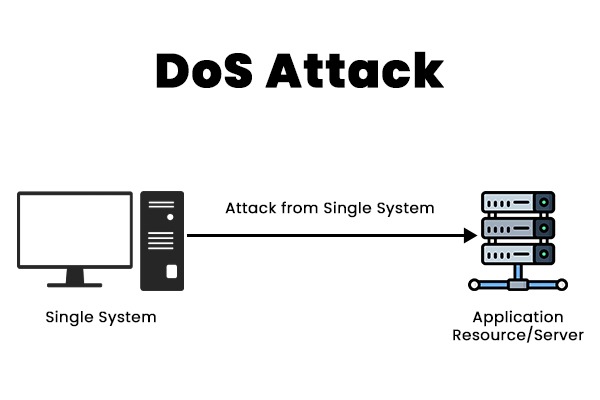
A Denial of Service attack is an attempt to make a website or online service unavailable to real users by overwhelming it with requests, so it looks like “too many people are using it at once.”
Every website runs on a computer somewhere, whether on cloud infrastructure or an on-premise server. That computer has limited resources: CPU (processing power), RAM (memory), bandwidth (how much traffic it can handle), and database capacity. When those resources get overloaded, the website becomes slow, then unstable, then potentially goes offline entirely.
The Customer Service Desk Analogy
Think of your website like a small customer service desk. Normal visitors come in, ask a question (load a page), and the server responds. A DoS attack is like one person repeatedly rushing the desk with useless requests so your staff can’t serve real customers anymore.
The Bank Queue Analogy
Imagine you’re serving customers at a bank. Then someone brings in a crowd of random people who aren’t customers, pays them a little money, and tells them to queue up and waste your time with nonsense questions. You keep responding to them, and by the time you reach real customers, the day is already over. That’s exactly what a DoS does: it denies service to the people who actually matter.
DoS vs DDoS: What’s the Difference?
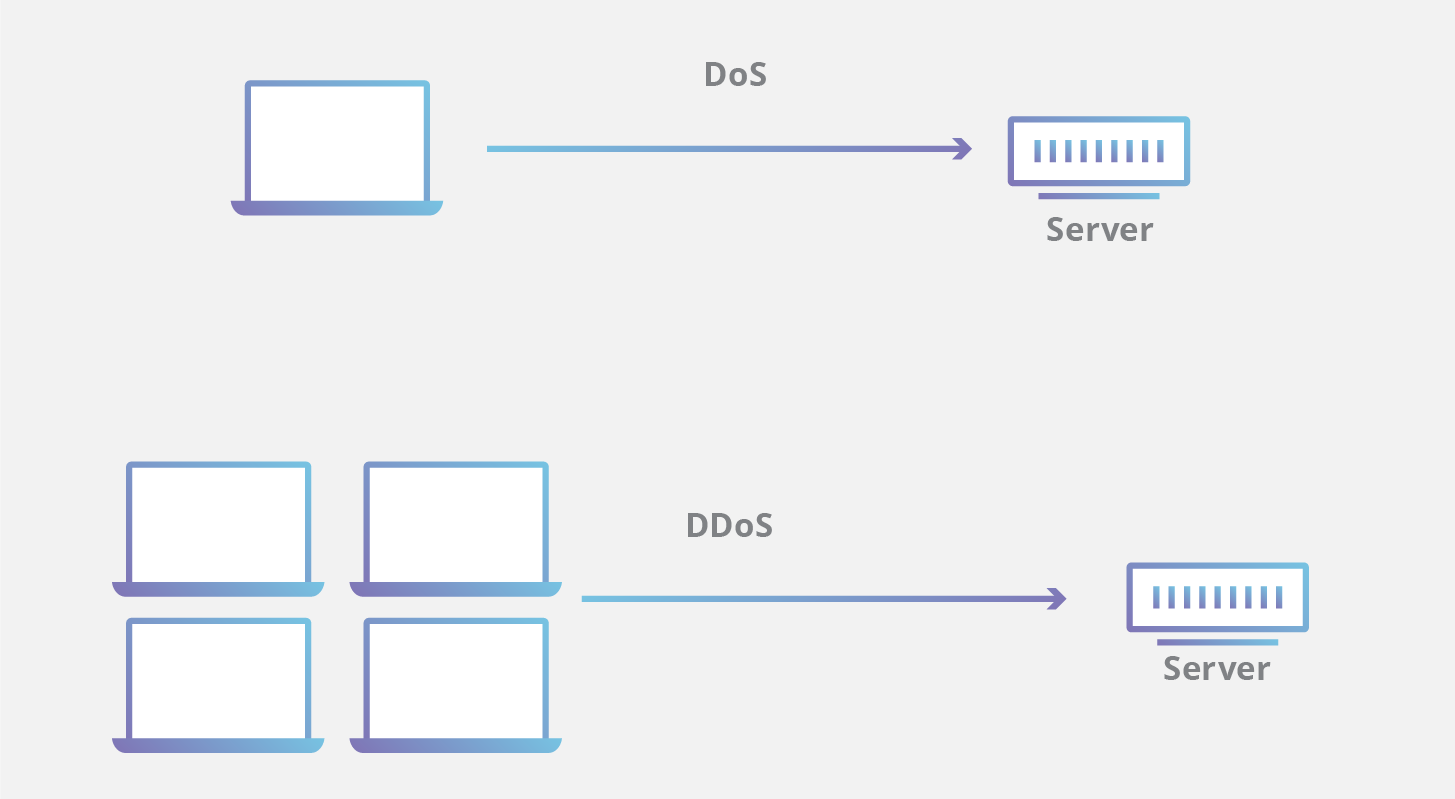
A DoS attack often comes from one source or a small number of sources. A DDoS (Distributed Denial of Service) attack is the same concept, but executed at massive scale with thousands of machines hitting you simultaneously. Most DDoS attacks use networks of infected computers called botnets, all controlled by a single attacker.
Why Would Anyone Attack Your Website?

A lot of people assume attacks only happen to big companies. That’s not true. Attackers often go after smaller websites specifically because they’re easier to stress, easier to scare, and easier to pressure. Here are the most common motives:
- Extortion. Attackers bring your site down, then message you: “Pay us, or we keep you offline.” Crypto payments are common because they’re harder to trace.
- Competitor sabotage. A competitor may try to knock out rival sites so customers come to them instead. This is especially common in news, e-commerce, and ticketing where timing is everything.
- Activism. Some attacks are meant as protest, disrupting a site to send a political or social message.
- Revenge or “just for fun.” Some people do it to prove they can. Others do it out of personal bitterness.
- Distraction for a bigger attack. Attackers hit one site to keep your team busy while they target another system they actually want to compromise.
Three Common Attack Types (In Plain English)
1. Traffic Flooding
The classic scenario: a massive wave of traffic floods your server until it can’t handle real visitors. What it looks like:
- Sudden, massive traffic spikes
- Requests coming from huge numbers of IP addresses (common in DDoS)
- Website becomes unreachable for everyone
2. Protocol Attacks
These exploit how networking works by creating too many connections and exhausting server resources. What it looks like:
- Lots of half-open connections
- Connections that start but never properly close
- Bandwidth and server resources maxed out with no clear cause
3. Application Layer Attacks
This one targets your most resource-intensive pages, the ones that force WordPress and your database to work the hardest. Common targets include your login page, search page, checkout page, and any page with heavy database queries. What it looks like:
- CPU spikes even during low apparent traffic
- Database overload
- Slow WordPress admin area
- Sluggish backend even when the homepage seems fine
DDoS vs Normal Traffic Spikes: How Do You Tell?
If you run a news blog, traffic spikes can be completely normal when a story trends. The hard part is distinguishing viral traffic from attack traffic. Here are warning signs that point toward an attack rather than genuine interest:
- “429 Too Many Requests” errors appear suddenly and without an obvious cause
- Your site keeps timing out for normal users
- CPU and RAM stay pinned at 90 to 100% for an extended period
- Unusual traffic from unexpected or suspicious countries
- High request rates with very low engagement (lots of hits, but no real browsing behavior, no page depth, no time on site)
8 Ways to Protect Your WordPress Site
You don’t need to be a security engineer to improve your resilience. What you need is a layered setup with multiple defenses working together. Here’s what that looks like in practice:
1. Put a CDN in Front of Your Website
A Content Delivery Network (CDN) caches your content, absorbs traffic surges, and reduces load on your origin server. This is often the single biggest improvement you can make.
2. Enable Caching
Caching reduces how often WordPress and your database have to work from scratch for every visitor. Fewer database calls means more headroom before a spike takes you down.
3. Implement Rate Limiting
Some endpoints should never accept unlimited requests. Rate limiting controls how often a visitor or IP address can hit certain pages, reducing the impact of both bots and attacks.
4. Use a Web Application Firewall (WAF)
A WAF filters traffic before it reaches your site and blocks common malicious patterns. Many CDN providers include WAF functionality in their plans.
5. Restrict XML-RPC (If You Don’t Need It)
WordPress’s XML-RPC endpoint is frequently abused in attacks. If you don’t rely on it for anything (like the WordPress mobile app or Jetpack), restrict or disable it entirely.
6. Secure the Admin Area
Lock down wp-admin and login routes with IP allowlists, two-factor authentication, or login attempt limits. Even small hardening steps make a meaningful difference.
7. Monitor Logs and Traffic Patterns
You can’t defend what you can’t see. Setting up traffic monitoring helps you spot strange patterns early, before a slowdown becomes a full outage.
8. Plan for Traffic Spikes
Whether a spike comes from a breaking news story or an attacker, your infrastructure should be able to absorb pressure without collapsing. Auto-scaling, CDN caching, and database optimization all help here.
What to Do If You Think You’re Under Attack Right Now

If you suspect an active attack, work through this checklist:
- Stay calm. Panic leads to mistakes.
- Turn on “Under Attack Mode” or bot protection if your CDN or WAF supports it.
- Temporarily block abusive IPs at the firewall or CDN level.
- Add or tighten rate limits, especially on your login and search endpoints.
- Increase caching and temporarily disable expensive or non-essential features.
- Contact your host with evidence: timestamps, logs, and request patterns.
- Document the incident so you can harden your setup once things stabilize.
The Bottom Line
A denial of service attack isn’t always about breaking into your site. Often, it’s simply about making your server too busy to respond to anyone.
The best defense is to assume spikes will happen; whether from attackers or from genuine growth, and build your setup to absorb pressure without breaking. A layered approach combining a CDN, caching, rate limiting, and a WAF will put you in a much stronger position than most sites of similar size.
And if it happens anyway? Now you know what you’re looking at, and what to do about it.