


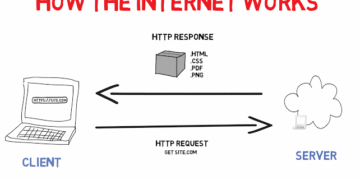





Discover what caching means in software and web development, why it speeds up websites, and how it works with simple real-world examples like a local water tank. Ideal for beginners, junior devs, and non-tech readers.
Introduction
Have you ever wondered why some websites load instantly while others take forever?
The secret is often caching.
In this beginner-friendly guide, we break down caching using everyday language and real examples, no coding knowledge needed.
Whether you’re new to tech, a junior developer exploring backend ideas, or a manager wanting to understand your team’s decisions, you’ll see why caching powers faster, cheaper, and more reliable software.
The Water Tank Analogy: Understanding Caching the Simple Way
Imagine you live in a city with a central water board. The main water tank sits far away, and every house pulls water from it.
When you turn on your tap, water takes ages to arrive. It travels the long distance from that distant tank. Getting a simple cup of water feels slow and frustrating.
To fix this, you install a storage tank right in your compound. Water flows from the central board into your local tank once. Now, every time you need water, you open your tap and get it instantly from your nearby tank.
That’s caching in real life.
How This Relates to Your Local Tank
Your local tank is a cache of the central supply. You avoid depending on the far-away source every single time. Instead, you keep a quick-access copy nearby.
The biggest win? Much faster access to water.
Caching in Software Engineering: Connecting the Analogy to Technology
Let’s bring this to websites, apps, and software.
The distant central water tank is like your database or original server, where core data lives. Your website might be built in Nigeria, but the hosting server sits in the United States.
The Problem: Distance and Delay
A user in Nigeria visits your site. Data travels from the US server across oceans and networks. That creates lag. The page loads slowly, just like waiting for distant water.
Requests might hit a database, call external services, run calculations, or load files. Each step adds time.
The Solution: Caching
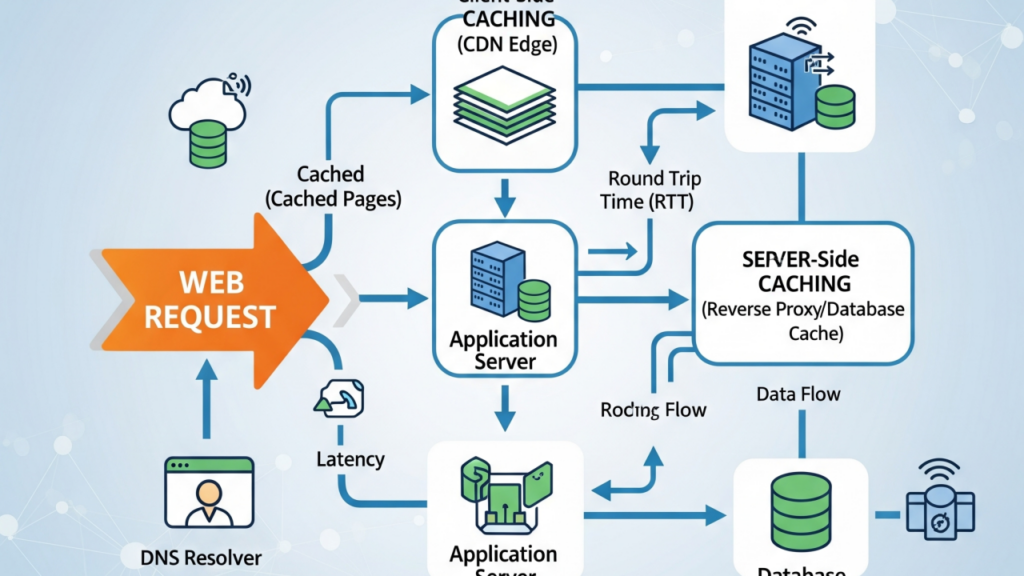
Caching stores a ready copy of that data in a faster spot.
Next time the same request comes, the system grabs the saved version instead of repeating the slow trip.
For example, your US-hosted homepage gets cached closer to users, maybe in Lagos or nearby data centers. Visitors in Nigeria, Pakistan, or elsewhere get the fast local copy. No more full round-trip wait.
Result: quicker pages, less server strain, and better handling of traffic spikes.


Why Caching Matters: The Main Benefits
Caching delivers four big wins for modern apps and sites.
1. Speed
Pages and apps load much faster. Users hate waiting. If your site drags, they bounce before it even appears.
2. Performance
Your server handles less work. No need to rebuild or re-query everything fresh each time.
3. Scalability
The system serves way more users at once without crashing or slowing down.
4. Cost Reduction
Fewer database hits and computations mean lower hosting and infrastructure bills.
Common Types of Caching You Use Every Day
You already benefit from caching without noticing.
Browser Cache
Your browser saves images, styles, and scripts. Return visits load instantly from your device.
App Cache
Mobile apps keep recent info on your phone. They open quicker and feel smoother.
CDN Cache
Services like Cloudflare store site copies worldwide. Content arrives from the nearest point.
Database Cache
Popular queries get saved temporarily. Results come back fast without hitting the full database.

The Downside: Understanding Stale Data
Caching isn’t perfect. The biggest issue is stale data.
Your main database updates with new info. But the cache holds the old version. Without proper sync, users see outdated content.
Engineers solve this with expiration times, invalidation rules, or refresh checks. Good design keeps the cache fresh and accurate.
Key Takeaway: Caching Simplified
Caching stores frequently used data in a fast nearby spot for quick later access.
Think of it like keeping everyday items on your desk instead of walking to the store each time.
Conclusion: Is Caching Right for Your Project?
If faster load times, lower server stress, and better traffic handling matter to you, caching deserves a spot in your stack.
Just plan for sync to avoid stale data surprises.
You now understand caching basics, its real impact, and when it fits. Ready to discuss it with your team or try it in a project?
Have you used caching before? Drop your experiences, especially any tricky stale data moments in the comments.
Found this clear? Share it with friends or colleagues who wonder why sites feel slow sometimes.
Thanks for reading, catch you in the next guide!