




iOS 26.5 drops next week with encrypted RCS messaging, smarter Maps suggestions, and a stunning Pride wallpaper. Here’s everything iPhone users need to know.
Introduction
Apple is about to push a fresh iPhone update to hundreds of millions of devices — and while iOS 26.5 isn’t a blockbuster release, what it does bring matters. End-to-end encrypted texting with Android users. A smarter, more personalised Apple Maps. And a visually striking new wallpaper for Pride Month. For anyone who cares about mobile privacy, convenience, or simply keeping their iPhone up to date, this is worth five minutes of your time.
iOS 26.5 entered beta in late March 2026, completed its Release Candidate phase on May 4, and is expected to reach the public in mid-May 2026. Here’s a full breakdown of every confirmed new feature.
1. End-to-End Encrypted RCS Messaging (Beta)
This is the headline privacy upgrade in iOS 26.5, and it’s been a long time coming.
RCS (Rich Communication Services) arrived on iPhone with iOS 18, replacing the older SMS/MMS standard for Android-to-iPhone messaging. But until now, those green-bubble conversations lacked the encryption that iMessage’s blue-bubble chats have offered since iOS 5.
With iOS 26.5, that changes. Apple’s Messages app now supports end-to-end encrypted RCS messaging — meaning texts between supported iPhones and Android devices are encrypted in transit and cannot be intercepted or read by Apple, your carrier, or any third party.
A few things to note:
- The feature is enabled by default. You can manage it under Settings > Messages > RCS Messaging, where a new “End-to-End Encryption (Beta)” toggle appears.
- It requires carrier support, so availability will roll out gradually worldwide.
- Standard SMS messages still lack encryption — E2EE only applies to RCS conversations.
- Apple first tested this in the iOS 26.4 beta, but pulled it before release. It’s officially confirmed for 26.5.
This is a meaningful step for cross-platform privacy — especially relevant for the many iPhone users who regularly message friends or colleagues on Android.
2. Suggested Places in Apple Maps
Apple Maps is getting a useful new discovery feature with iOS 26.5: Suggested Places.
When you open the Maps search screen, you’ll now see a curated feed of location recommendations tailored to you. Apple says these suggestions are powered by what’s trending nearby and your own recent search history.
This feels less like a gimmick and more like a genuinely practical addition — early testers have reported relevant, well-matched recommendations. Think of it as a lightweight “For You” discovery layer built directly into the map.
It’s also worth noting that iOS 26.5 lays the groundwork for ads in Apple Maps, a change Apple announced in March 2026. Businesses in the U.S. and Canada will be able to purchase placement in Maps search results and in the new Suggested Places section. Ads will carry a clear “Ad” label and Apple has promised strong privacy protections consistent with its broader data philosophy.
3. Pride Luminance Wallpaper
Every year, Apple releases a new Pride wallpaper to mark Pride Month — but this year’s offering is more customisable than ever.
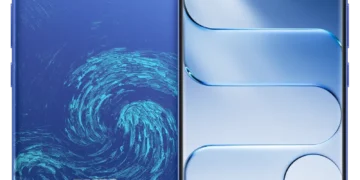
The Pride Luminance wallpaper features a dynamic design that “dynamically refracts a spectrum of colors,” according to Apple’s release notes. What sets it apart is the level of personalisation on offer:
- 11 colourful pre-set variants to choose from
- A custom colour option that lets you hand-pick the exact colours featured in your wallpaper
- Available for both iPhone and iPad running iOS/iPadOS 26.5
The wallpaper is releasing alongside a new Pride Edition Apple Watch Sport Loop and a matching Pride Luminance watch face — a cohesive set for those who want to celebrate across their devices.
4. New App Store Subscription Model (Global)
Here’s a change that directly affects how you pay for apps — especially useful if annual subscription prices feel like a big upfront hit.
iOS 26.5 introduces a new monthly subscription with 12-month commitment model in the App Store. In practical terms: you get the lower annual pricing, but pay it month by month rather than all at once. You can cancel at any time, though you’d still be billed for remaining months to complete the commitment.
Apple will send email reminders — and push notifications if you’ve opted in — before renewal dates, so you won’t be caught off guard.
This option is launching worldwide, with the exception of the United States and Singapore for now. No timeline has been given for expanding it to those markets.
5. Smarter Reminders Snooze Options
A small but welcome quality-of-life improvement: Reminders snooze notifications have been upgraded.
When a reminder notification arrives and you’re not ready to act on it, iOS 26.5 expands the snooze options available directly from the notification. It’s a subtle update, but one that regular Reminders users will appreciate in their daily workflow.
6. EU-Specific: Third-Party Wearable Interoperability
For users in the European Union, iOS 26.5 continues Apple’s work on Digital Markets Act (DMA) compliance by extending iPhone capabilities to third-party smartwatches and headphones.
Specifically, third-party accessories will be able to:
- Receive notifications from iPhone (like Apple Watch does)
- Mirror Live Activities on their displays
- Pair with iPhone via a simple AirPods-style proximity process — no multi-step setup required
Apple has tested these features in previous betas (iOS 26.3 and 26.4) before pulling them. There’s no confirmed launch date yet, but their inclusion in 26.5’s beta is a positive sign.
Other Smaller Changes
- Apple Books Year in Review: Code hints point to “2026 Year in Review” features, including achievement medals like “Reading Royalty” and “The Power Reader.”
- Android Transfer Options: When switching from iPhone to Android, users can now choose how many message attachments to transfer — All, 1 Year, or 30 Days.
- USB-C Auto Bluetooth Pairing: Connecting a device like a Magic Keyboard via USB-C will now automatically establish a Bluetooth connection.
What iOS 26.5 Doesn’t Include
It’s worth being upfront: the long-awaited Siri overhaul — which was expected to bring a new foundation model, on-screen awareness, personal context, and cross-app actions — is not arriving in iOS 26.5. Apple is pivoting its internal attention toward iOS 27, which will be unveiled at WWDC 2026 on June 8. Major Siri upgrades are expected to be a centrepiece of that release.
Conclusion: Should You Update?
iOS 26.5 is a focused, purposeful release rather than a feature-packed major update. But the RCS encryption upgrade alone makes it worth installing for anyone who regularly messages Android users — it brings meaningful privacy improvements to a widely-used communication channel.
The Suggested Places feature in Maps, the new subscription model, and the smarter Reminders snooze options round out a solid, if modest, release. If you’re on iOS 26, updating is a straightforward decision.
iOS 26.5 is expected to be available to all users in mid-May 2026. To update: head to Settings > General > Software Update.
Want more Apple coverage? Follow our blog for the latest on iOS 27, WWDC 2026, and everything in Apple’s pipeline.